Now in Founders' Pricing

The ultimate dashboard
for Home Assistant.

Native. Fast. Beautiful. Built for your walls.

Aureo is the Home Assistant dashboard you should have had three years ago. It renders to the GPU, connects over a single WebSocket, and updates the instant your light turns on.

iPad Android tablet macOS No subscription
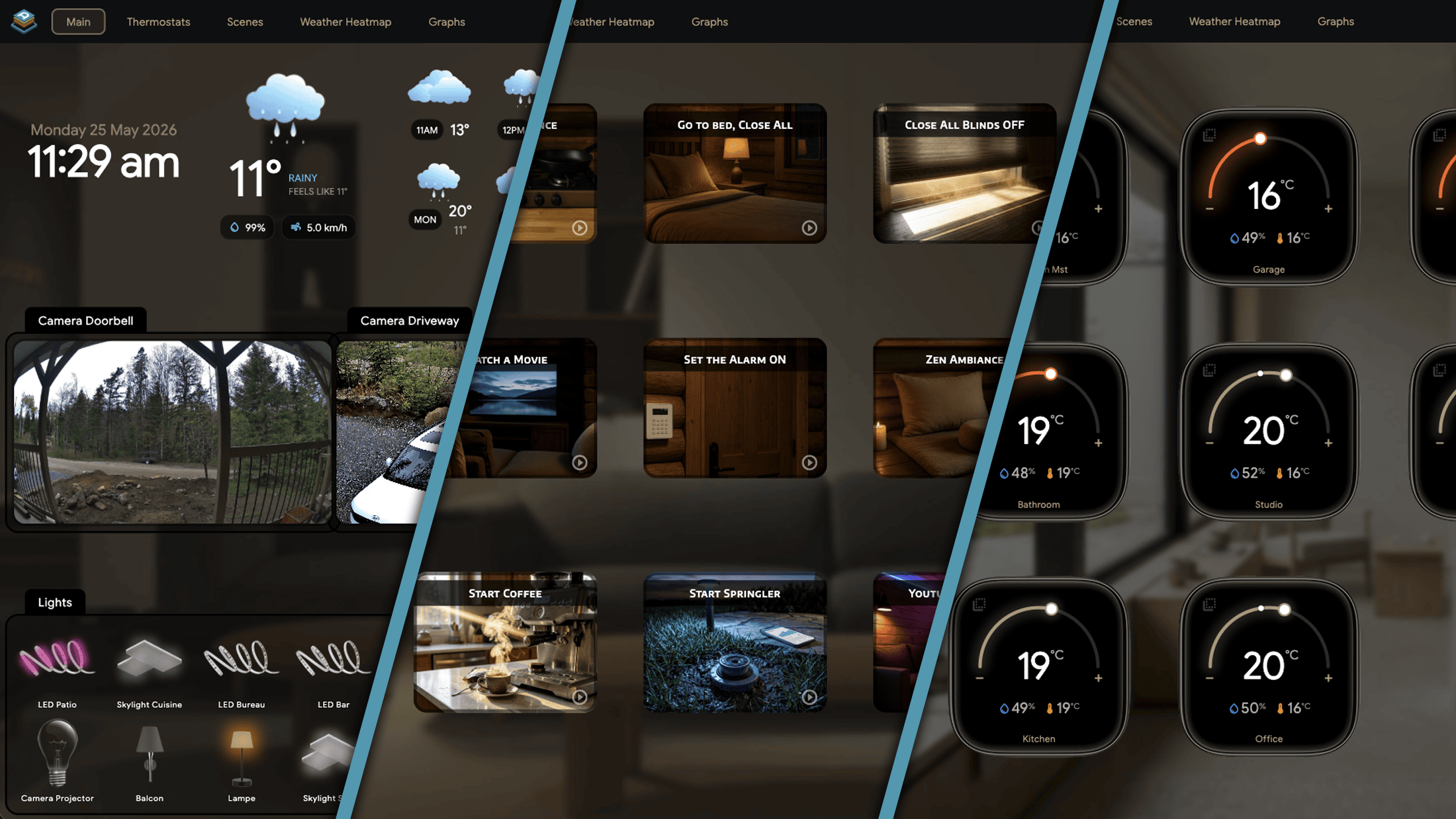
Aureo dashboard — main room overview
Why we built it

Zero lag.
That was the whole brief.

The HA web Kiosk dashboard runs in a browser. Every tap goes through a render engine, a framework, and a network round trip. Aureo renders directly to the GPU. State changes arrive in sub-millisecond time. Animations run at 60fps on a five-year-old tablet.

60fps
Native rendering
<1ms
Entity update
17
Tile types
10
Languages
17 Tile Types

Every domain HA exposes.

Every tile is configured in-app with a gear popup. No YAML. No config-file editing. Drag, resize, snap to grid.

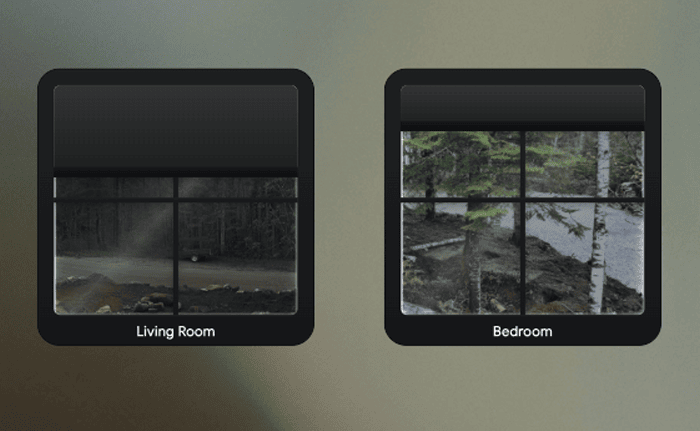
Cover tile — day/night window
4 × 4 · drag gesture
Cover / Blind
14-frame photographic animation. Day or night background switches with sun.sun.
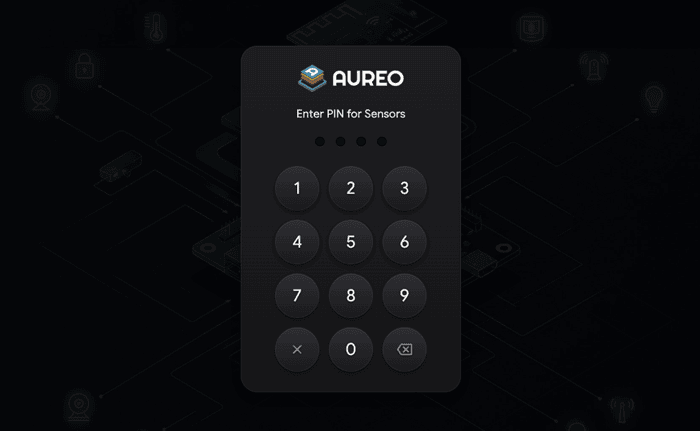
Alarm panel — PIN keypad
3 × 3 or 2 × 2 · PIN keypad
Alarm Panel
Green / amber / red shield. Code is forwarded to HA — never stored in Aureo.
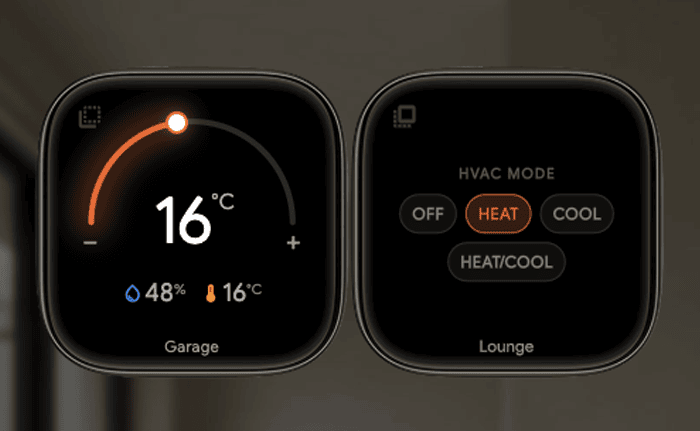
Climate — target temperature
3 × 3 or 4 × 4
Climate
Current + target temperature. °C / °F auto-detected. Tap to set.
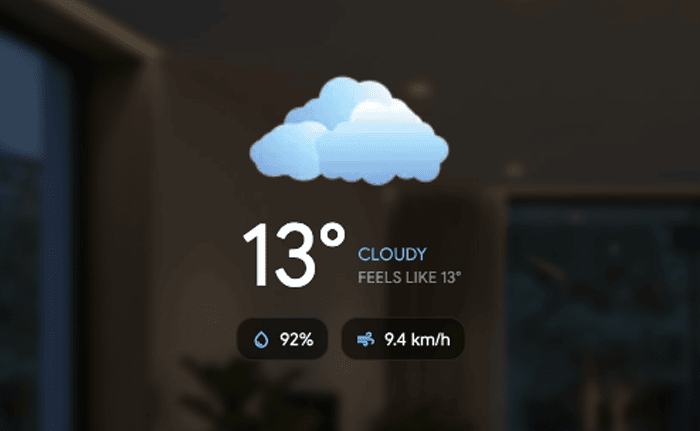
Weather now — cloudy 13°
4 × 4 · forecast subscribe
Weather Now
Current conditions: icon, temperature, feels-like, humidity, wind.
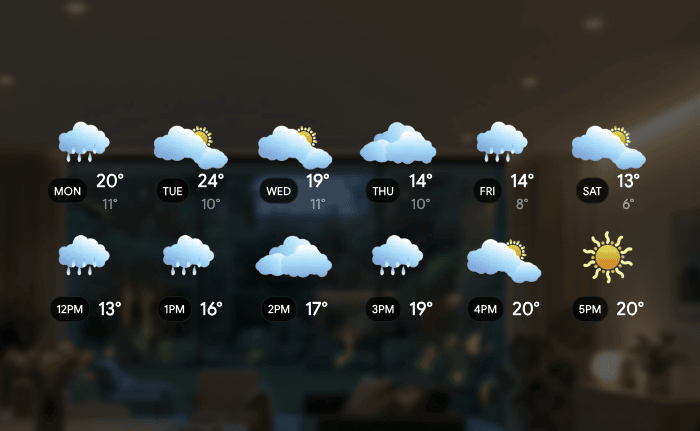
Weather strip — six days, six hours
6 × 2 or 12 × 2
Daily / Hourly Strip
Six days or six hours. Modern weather/subscribe_forecast API.
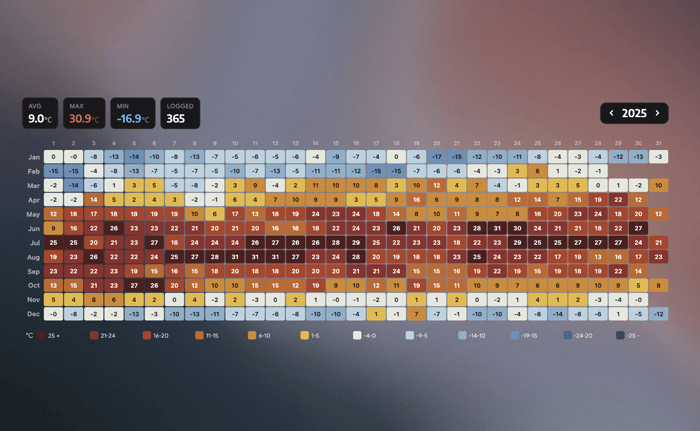
Year heat map — daily highs 12×31
16 × 7 · 1940→today
Year Heat Map
12 months × 31 days, coloured by daily high. Open-Meteo free history or any HA sensor.
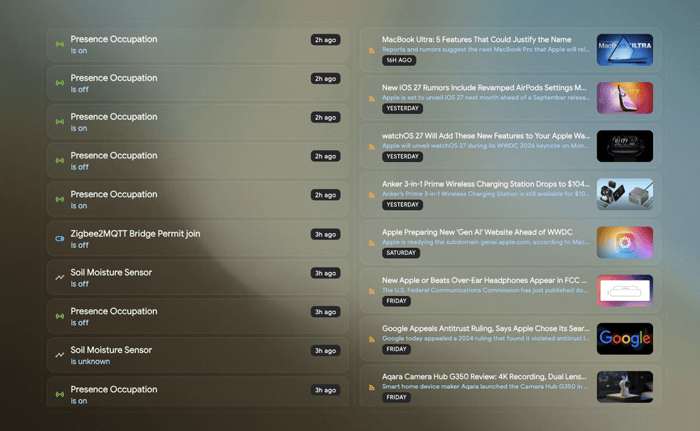
Feed — HA logbook and RSS
5 × 2 → 16 × 16
Feed
HA logbook, persistent notifications, or up to 3 RSS feeds merged into one stream.
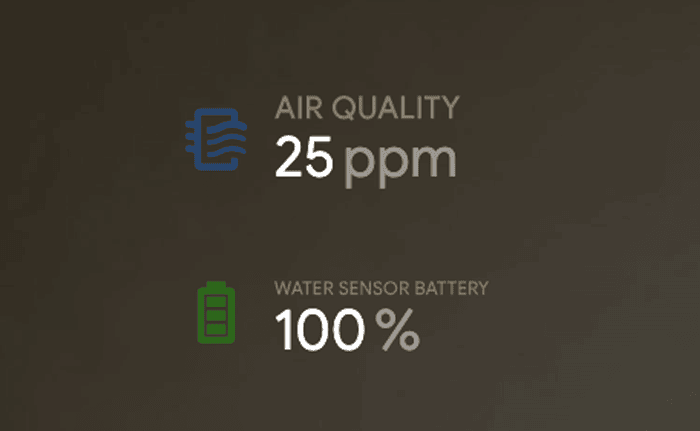
Info tile — air quality, water sensor battery
4 × 2 · scales
Info
Date & time, sensor value, or next calendar event. Pattern filter for trash calendars.
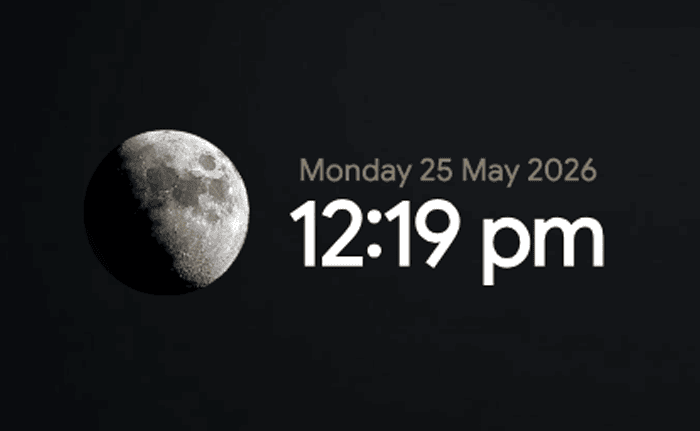
Moon phase tile with date and time
3 × 3 or 4 × 4
Moon Phase
Rendered moon. Rotates based on your actual lat/lon, because it should.
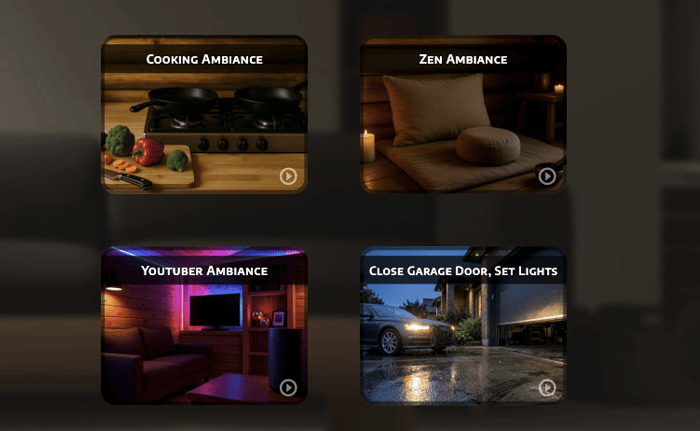
Scene tiles — cooking, zen, youtuber, garage close
2 × 2
Scene
Trigger any HA scene with a tap.
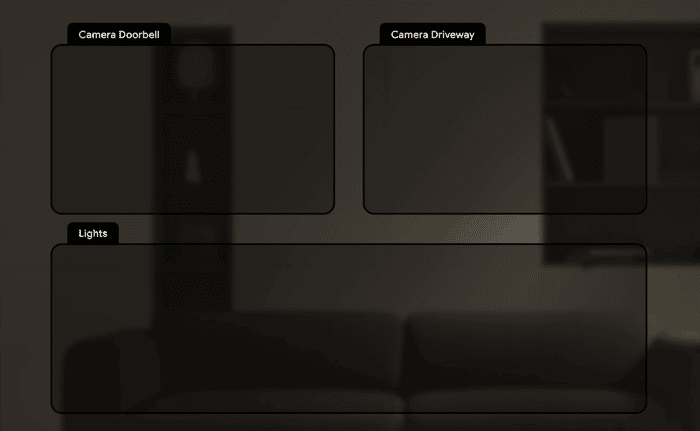
Section tiles — grouped Doorbell, Driveway, Lights
1–24 × 1–24 · background
Section
Labelled bordered region behind grouped tiles. Optional tinted fill.
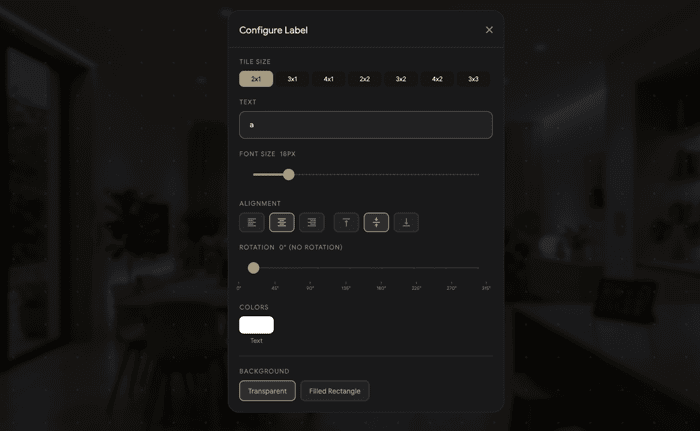
Configure Label dialog — size, alignment, rotation, colors
varies
Label
Static text for annotating layouts — room names, zone headers, notes.
Lights

Eight fixtures.
One tap.

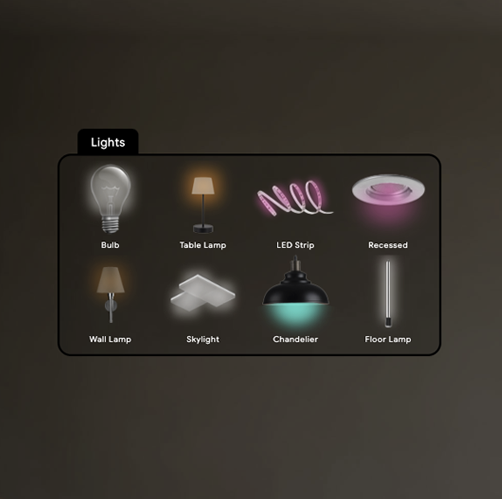
Lights aren't an entity ID. They're a bulb, a strip, a chandelier, a skylight. Aureo renders each fixture differently — real glow geometry, real fall-off, real diode positions.

Light bulb — radial glow
Light Bulb
Radial glow dot with warm bloom.
LED strip — individual diodes
LED Strip
13 individual diode dots.
Floor lamp — vertical filament glow
Floor Lamp
Vertical filament bar glow.
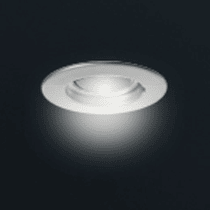
Recessed lamp — conical clip
Recessed Lamp
Conical spotlight beam, precise clip mask.
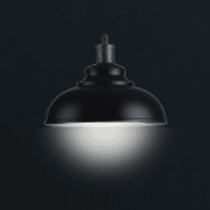
Chandelier — wide cone glow
Chandelier
Wide conical beam at 155°.
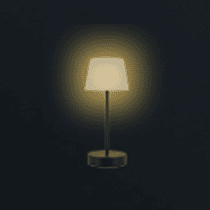
Table lamp — warm omnidirectional glow
Table Lamp
Small omnidirectional warm glow.
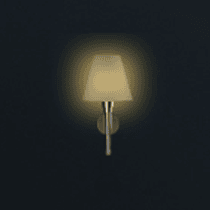
Wall lamp — directional wall-wash glow
Wall Lamp
Directional wall-wash glow.
Skylight — three independent colored dots
Skylight
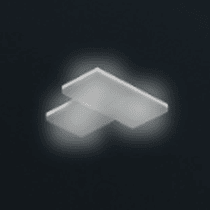
Three independent colored dots with palette support.
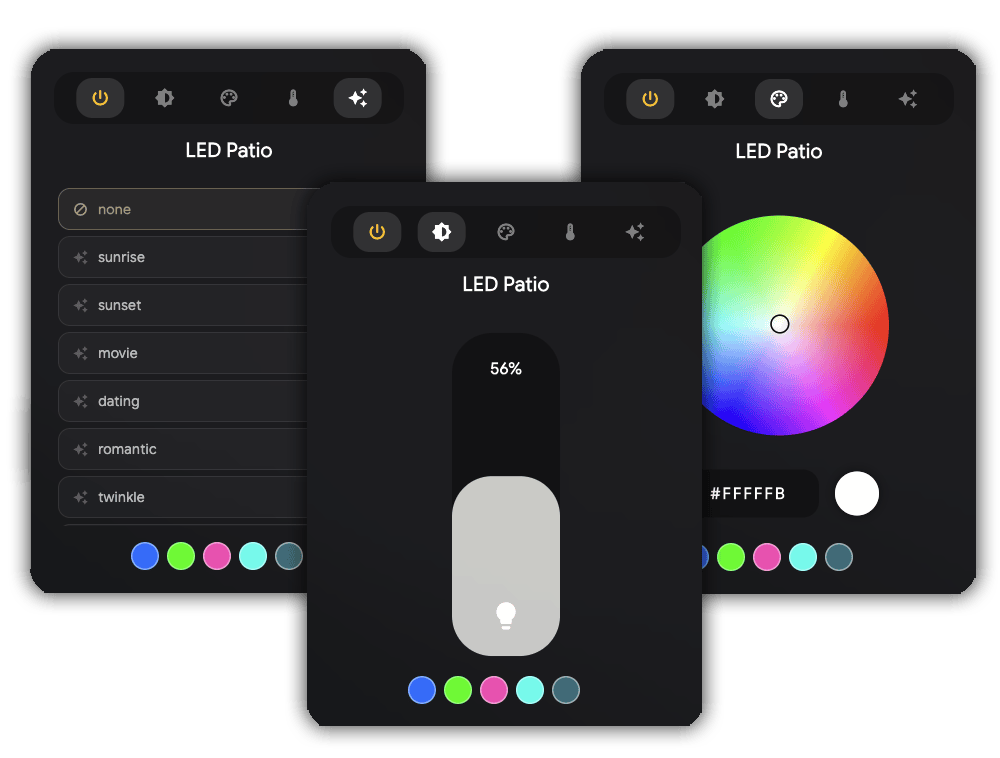
Light detail popup — HSV color wheel, brightness slider, effects list

Long-press for the full panel.

A Photoshop-style HSV wheel. A warm-to-cool color-temperature slider that shows Kelvin. A vertical brightness pill tinted to the current light color. Effects from Nanoleaf, Govee, or anything exposing effect_list — discovered automatically.

  • 5-second debounce so the UI feels instant even on slow Zigbee mesh
  • Brightness slider can also live inline on the tile
  • Three tile layouts — icon only, +name, +brightness
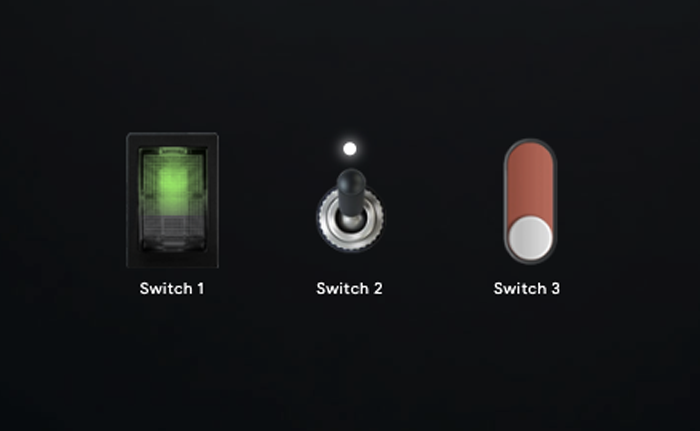
  • Switch tiles share the engine. Same 8 fixtures. Same icons
Cameras

Live streams. Real PTZ.
Camera tiles hold the last good frame, switch to full WebRTC on tap, and connect directly to go2rtc — not routed through HA — for the lowest possible latency. ONVIF presets discovered automatically.

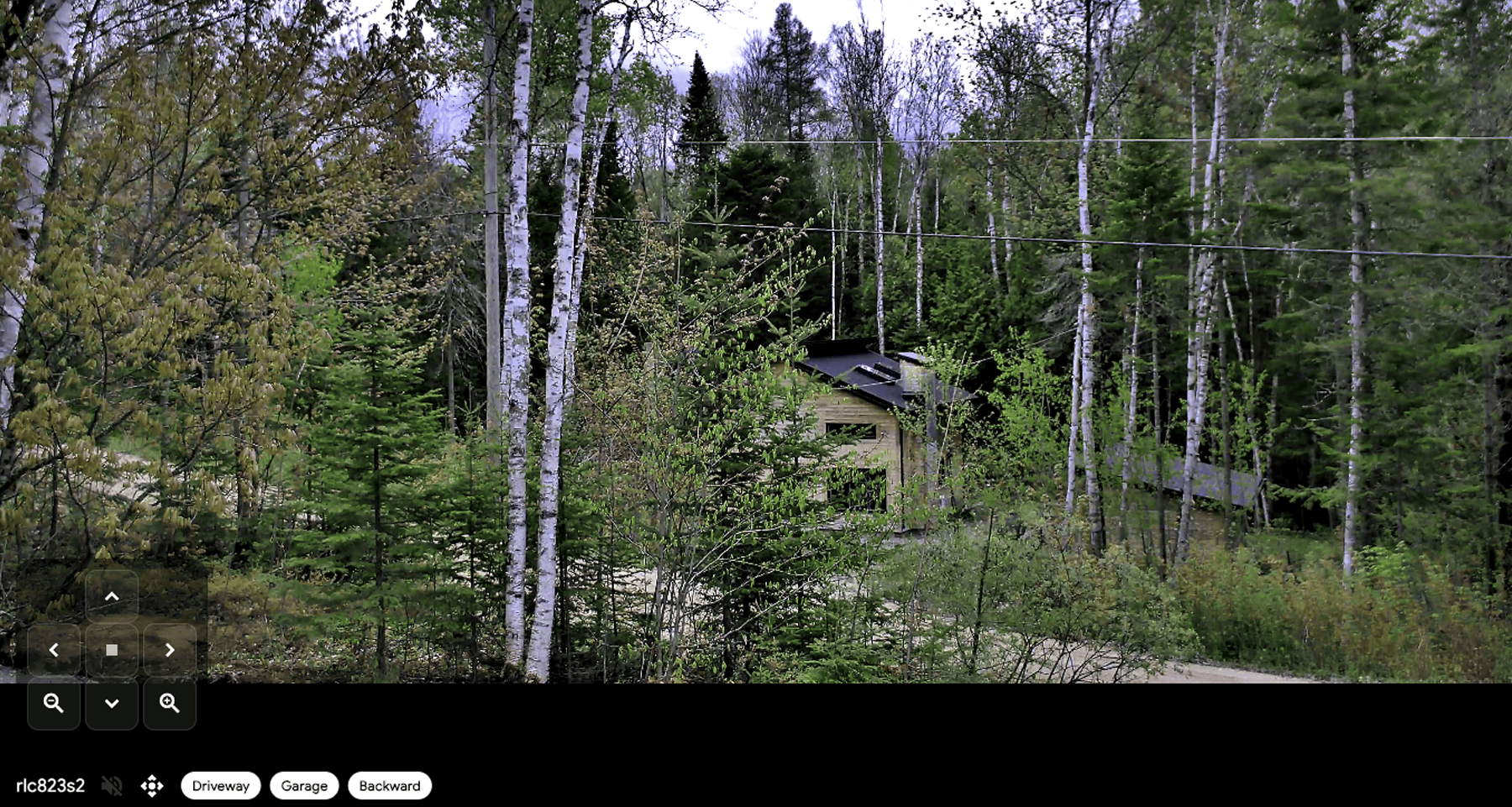
Fullscreen camera view with PTZ d-pad and preset capsules
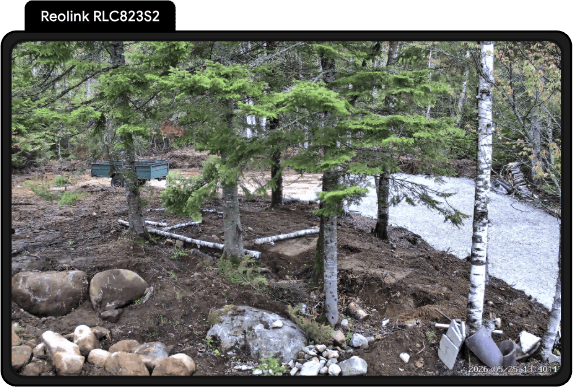
Camera tile thumbnail — live frame from Reolink RLC823S2

The tile never flashes black.

Every camera tile polls a live JPEG frame from go2rtc every second. The last good frame stays in memory, so the tile never shows an error and never requires a stable connection to stay visible. Switch it to a full live WebRTC stream right inside the tile — same connection, two renderers.

  • RTSP, Reolink, Eufy, Hikvision, Dahua — anything go2rtc speaks
  • Direct go2rtc WebRTC. Not routed through HA
  • ONVIF presets auto-discovered. Tap to snap
  • D-pad PTZ with continuous move + instant stop
  • Audio is fullscreen-only. The dashboard never broadcasts ambient sound by accident
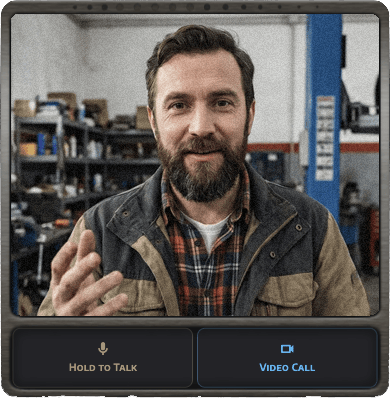
Incoming intercom call — Hold to Talk and Video Call buttons
The secret weapon

Your tablets can call each other.

A built-in WebRTC video intercom between every tablet running Aureo on your Home Assistant instance. Peer-to-peer over your local network. Signalling via HA's event bus. No external server.

Most HA enthusiasts don't realise they can have this for free. Doorbird hardware starts at $400. Aureo ships it in software.

  • Full video calls between tablets
  • Push-to-Talk broadcast to every tablet at once
  • Synthesised dual-tone ringtone — no asset file needed
  • Online indicator. Mute toggle. Accept / Decline UI
Graphs

Nine styles.
One engine.

Native sensor visualisation. No Grafana iframe. No Lovelace card embed. Auto-scaling done right — 5th–95th percentile clamping, per-unit minimum span, nice round tick values. Energy meters auto-route to HA's statistics API with hourly deltas.

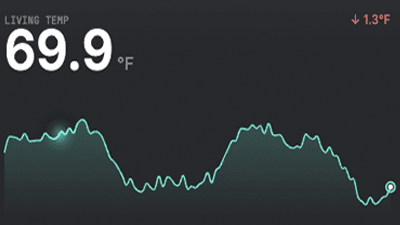
Sparkline graph — living room temperature trend
Sparkline
Value + tiny trend line. Hallway glance.
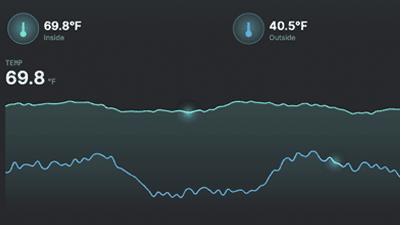
Multi-line graph — inside and outside temperatures
Multi-line
1–6 sensors, shared y-axis, comfort band overlay.
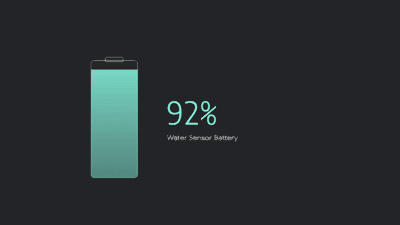
Battery glyph — water sensor at 92 percent
Battery Glyph
Vertical silhouette, auto-tinted red / amber / mint.
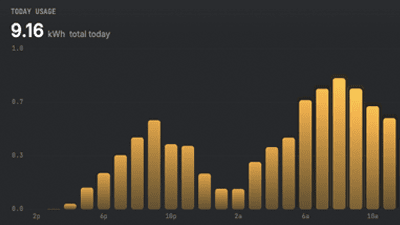
Hourly bars — today's energy usage at 9.16 kWh
Hourly Bars
24 bars per-hour energy with peak chip.
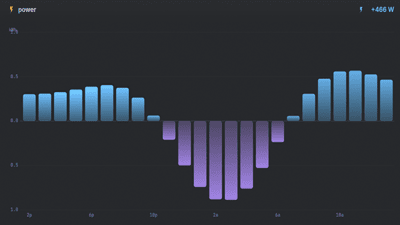
Net power split — import above zero, export below
Net Power Split
Import above zero, export below. Solar + grid.
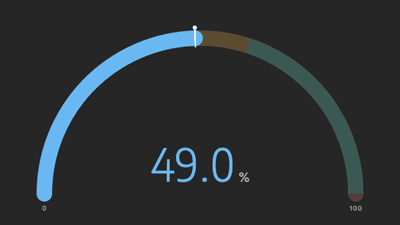
Half-arc gauge at 49 percent
Half-arc Gauge
180° arc with semantic bands and value inside.
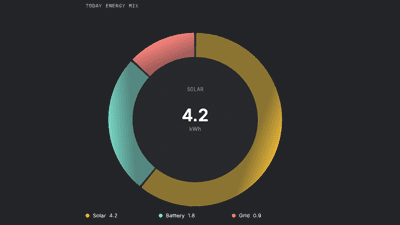
Donut breakdown — today's energy mix
Donut Breakdown
2–6 sensors as segments. Legend below.
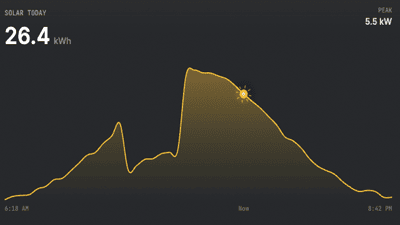
Solar arc — 26.4 kWh today, peak 5.5 kW
Solar Arc
Warm area curve, sun glyph creeping with the day.
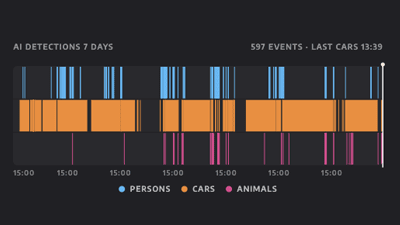
Today timeline — AI detections over 7 days
Today Timeline
Up to 4 binary or timestamp sensors as colored lanes.
Voice tile

Hold to talk.
Your home answers.

Hold, speak, release. Aureo streams the audio to Home Assistant's Assist Pipeline. Bring your own STT, conversation agent, and TTS.

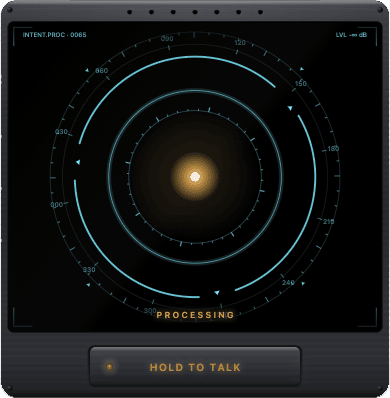
Voice tile — INTENT.PROC processing state with cyan HUD

Built like a piece of hardware.

A row of drilled speaker grille holes along the top edge. A status header reading INTENT.PROC with a live sample counter and a level meter. A recessed talk button below that visibly depresses when held — the LED inside lights cyan.

Inside the panel: rotating outer ring, compass with degree labels, dashed targeting ring, radial FFT spectrum, and a breathing core orb. Each pipeline state — idle, listening, processing, speaking — has its own choreography.

And it actually works on tablets.

Wall-mounted tablets sit a meter from the speaker. Raw mic peaks at −45 dBFS — well below voice-detection threshold. Aureo applies 2.5× software gain with soft-knee saturation so quiet speech registers without loud commands clipping.

On Android, the mic is pre-warmed at widget mount so the first 2–4 seconds aren't lost to AudioRecord warmup. Sample-rate fallback: 16k → 48k → 44.1k → 8k.

HA Events

Your automations
can drive the dashboard.

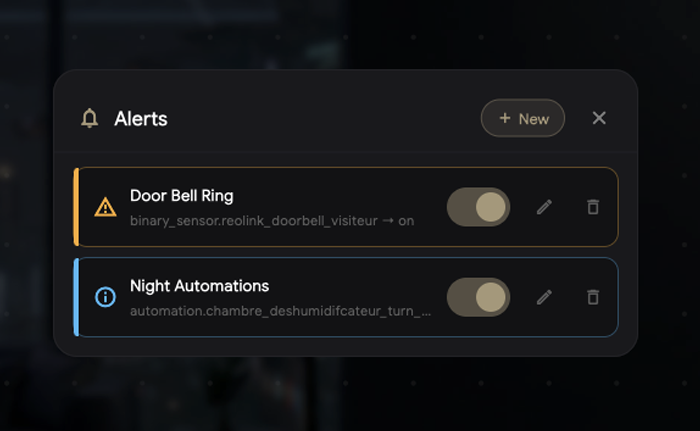
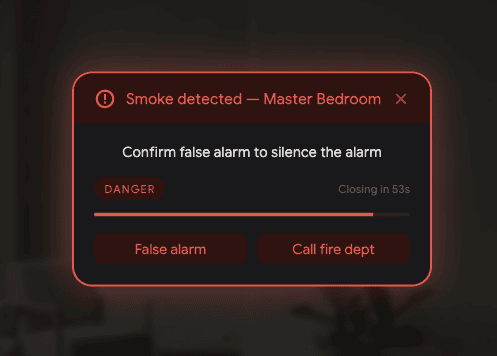
When the doorbell rings, the Kitchen tablet opens the camera. When smoke is detected, every tablet asks for an acknowledgement — and Home Assistant gets the answer back. Eleven commands. One event type. Zero custom integrations to install.

Acknowledgement prompt — Smoke detected, Master Bedroom — False alarm / Call fire dept

Ask the dashboard a question.
Branch on the answer.

The bidirectional acknowledgement is the headliner. Fire request_acknowledgement from any automation with up to four button labels. The tablet shows it, the user taps, the answer fires back as aureo_command_ack. wait_for_trigger picks it up. Your automation continues.

Smoke alarm at 3am with “False alarm / Call fire dept” — auto-dial if no human response in 60 seconds. Front door unlocked at midnight with “Acknowledge / Trigger alarm” — auto-arm if no one's home. Bedtime routine: “Kids in bed? Yes / No” — yes turns off the house, no extends bedtime by 15 minutes.

  • Up to four button choices per prompt
  • Timeout fires its own result so automations never hang
  • correlation_id field echoed back — match requests to replies
  • Severity bands: info, warning, danger — danger loops sound
11 commands

One event type.
Eleven things it can do.

Every command takes an optional target — a tablet entity, a friendly name, a UUID, or a comma-separated list. Omit it and every connected tablet responds.

show_camera
Open a camera in fullscreen WebRTC on the targeted tablet. Wakes from dim. Locked tablets drop it.
request_acknowledgement
Bidirectional prompt with up to four buttons. Reply fires back as aureo_command_ack.
show_message
Alert overlay with title, body, severity, optional sound, optional auto-dismiss. Renders above everything.
flash_tile
Pulse a tile's glow border for N seconds. Draws the eye to one entity.
tts_speak
Speak text through the tablet's TTS engine. Doesn't need a media_player entity.
play_sound
Play info / warning / danger alert sounds or a custom URL. Loops on danger.
navigate_room
Switch the active room on a tablet without entering fullscreen.
set_room_enabled
Hide or show a room tab entirely. Built for short-term-rental scenarios.
set_dim
Force the screen to dim or wake regardless of the motion sensor. Auto releases the override.
lock_dashboard
Require master PIN to interact. Visual commands silently drop while locked.
exit_fullscreen
Close any open fullscreen view. Doesn't dismiss alerts.

Setup is one tap.
Debugging is one glance.

Every tablet publishes itself as a Home Assistant sensor — sensor.aureo_kitchen_tablet, sensor.aureo_living_room. They show up in HA's automation editor as a real dropdown. Type-and-guess never happens.

Aureo ships a catalog of HA blueprints. Tap “Import to HA” in Settings → HA Events. Your phone's browser opens the import dialog. HA walks you through the inputs. Save. Done. No YAML edits, no custom_components, no HA restart.

  • Eleven single-command blueprints plus combos (doorbell, away-mode, smoke-ack)
  • Recent Commands debug log shows the last 20 events received — target match, result, payload
  • Custom YAML wizard for power users who write their own triggers
  • “Test on this tablet” button fires the event so you can verify without leaving the app
  • Survives HA reconnects automatically — same WebSocket the rest of Aureo uses
example Doorbell rings → Kitchen tablet opens the camera
trigger:
  platform: state
  entity_id: binary_sensor.front_doorbell
  to: "on"

action:
  event: aureo_command
  event_data:
    command: show_camera
    target: sensor.aureo_kitchen_tablet
    camera: camera.front_doorbell
    wake: true
Multi-room

One tablet.
Every room.

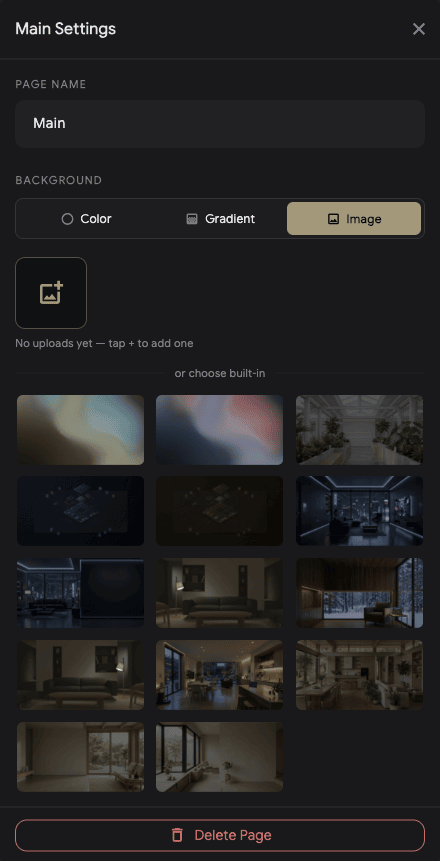
Unlimited rooms, each with its own independent tile layout. Room tabs at the top for instant switching. Per-room PIN locks if you want them — with the Master PIN as your always-available fallback.

  • Solid colour, gradient, or photographic room backgrounds
  • Background opacity slider so tiles remain readable over any photo
  • The first room is always accessible — you can never lock yourself out
  • Add, rename, reorder, delete — visually, never through config files
Main Settings — page name and background picker with built-in image gallery
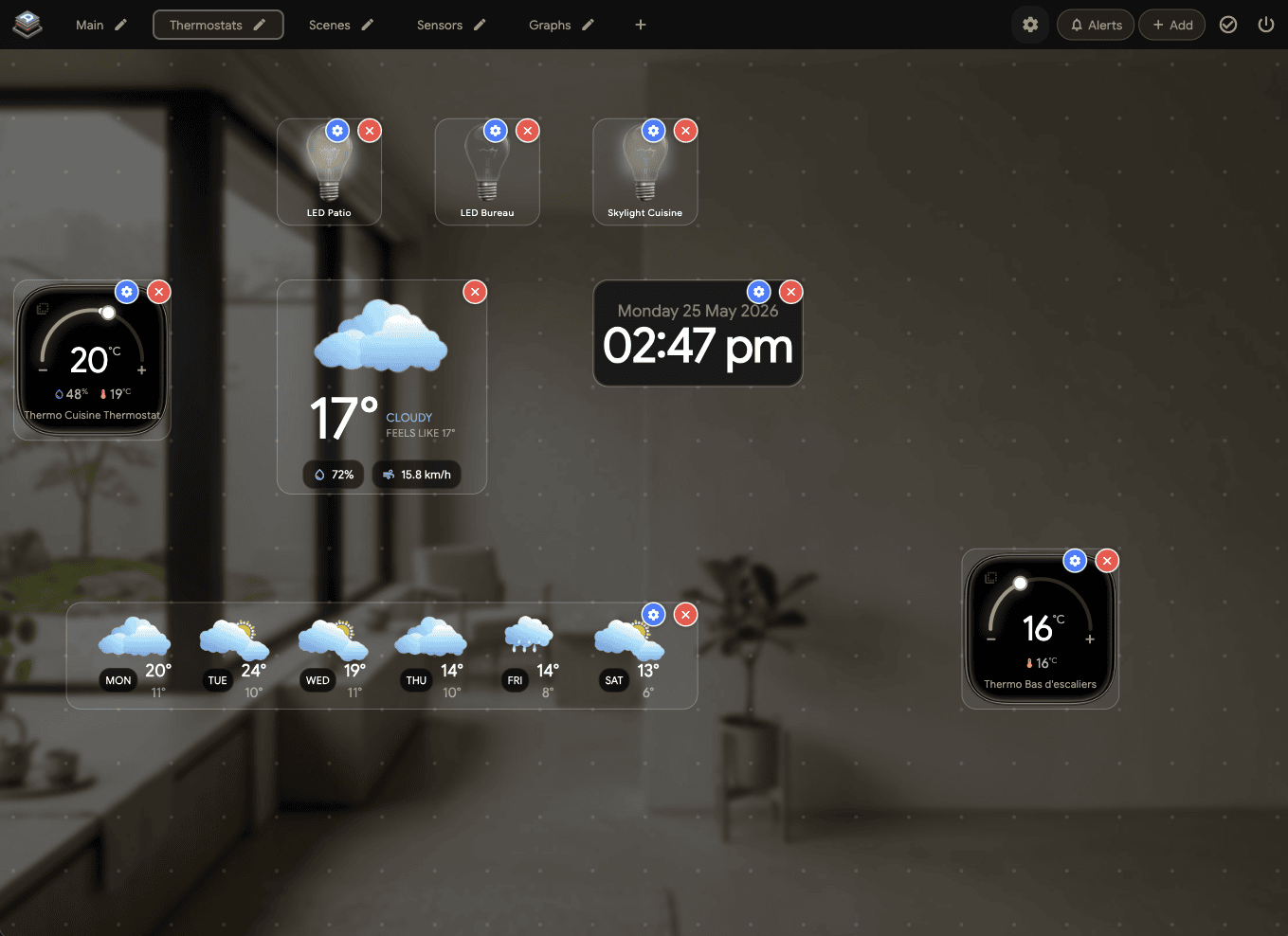
Edit mode — tiles shake with gear and delete handles, drag to rearrange
Edit mode

Drag. Resize. Done.

Tap Edit. Tiles shake. Drag any tile to any cell. Conflict detection prevents overlap (Section tiles are exempt — they're background layers). Every tile has a gear icon for its own configuration popup.

  • 8 columns on phones. 12–24 on tablets — scaled to width
  • Rows fill the screen height exactly. Never scrolls
  • Every label, colour, opacity, border, icon set per-tile
  • Master PIN gates Edit and Quit if you want it to
Privacy

No cloud.
Because we don't have one.

Aureo talks to Home Assistant on your local network. There's nothing to sync, no data to leak, no servers to crash. We can't read your dashboard. Nobody can.

Local-first by definition

One WebSocket between your tablet and your HA. That's the whole connection diagram. WebRTC for cameras goes peer-to-peer through go2rtc.

Camera frames stay on device

Screen auto-dim uses front-camera luma-difference motion detection. Frames are processed on-device and never stored or transmitted. Or skip the camera entirely and use any HA presence sensor.

Your alarm code stays in your alarm

Alarm Panel tile is pass-through. The code is sent to HA which validates it against your alarm panel's own configuration. Aureo never holds a copy.

Pricing

One price.
Forever.

No subscription. No "Pro" tier. No per-device tax. We don't have servers, so we don't have a reason to charge you every month.

Founders' Price — first 60 days
$19$29
One-time · Family Sharing on

Install on every tablet on your Apple ID. Share with up to six family members at no extra cost. All 1.x updates included.

Specs

The fine print.

Platforms

iPad iOS 13+ · A12 chip (2018) or newer
Android tablets Android 10+ · 3 GB RAM · Snapdragon 600+
macOS Active development target
Pixel Tablet Full support
Amazon Fire Sideload APK · no Play Store

Requires

Home Assistant Any recent version
Long-Lived Access Token Generated in HA · entered once
Cameras (optional) go2rtc add-on for WebRTC
Voice (optional) Any HA Assist pipeline
Account Not required

Languages

English, German, French, Dutch, Spanish, Italian, Polish, Portuguese (Brazil), Russian, Swedish.